FINE TEXTURES AND PHOTOGRAPHIC OVERLAYS TO ENHANCE YOUR PHOTOGRAPHY AND MORE


Showing posts with label grunge. Show all posts

Thursday, February 10, 2011

Grunge flowers


Just to show that I don't just do pale soft flowers and also to show how textures (and toning) can change the entire feel of an image.  Our fly edges work well on black and white images especially if you want to portray a gritty "early photography" look.

I started by converting the base image to black and white using a black and white adjustment layer, tweaking the colour sliders to get the tone and contrast I wanted.
Fly edges 18 @ multiply 65% desaturated
Curves layer to tweak tone
Then I merged all, ctrl -alt -shift-e on a PC
Converted the layer to a smart filter so I could go back and edit then used the render lighting effects filter to add a bit of drama and light. I used a bluish light hence the blue/grey toning of the finished work.
For a little added grunge I added
Stygian Tin @ Soft light 100% desaturated

Summer Painterly Pack
36 large textures for only $40
Add to Cart

Flypaper Triple Combo Deal
$100 for Tex Box One and Two and the Fly Edges
Add to Cart

Combo Pack Offer
Only $65 for Tex Box One and  Tex Box Two
Add to Cart

Fly Edges Pack
Only $40
Add to Cart

Gift Coupons

See all our packs and deals on one Page

Sunday, August 22, 2010

Grunge Spring


This is the flower of the onion weed or Allium triquetrum  -not one of my favourite plants as it spreads so readily and is very hard to get rid of once you have it.  Apparently it can be used to replace spring onions in cooking so it does have its uses. It does have pretty flowers ,  just as long as you don't get too close -the smell of onions is pretty strong.

I decided to give this one a quick and easy  grungy treatment.
Backdrop @ Hard light 30%
Stygian Tin @ Overlay 100%
Copy of background @ Multiply 48%

Backdrop is from Tex Box 2, Stygian Tin from Summer Painterly.

Summer Painterly Pack
36 large textures for only $40
Add to Cart

Flypaper Triple Combo Deal
$100 for Tex Box One and Two and the Fly Edges
Add to Cart

Combo Pack Offer
Only $65 for Tex Box One and  Tex Box Two
Add to Cart

Fly Edges Pack
Only $40
Add to Cart

See all our packs and deals on one Page

Wednesday, July 28, 2010

In the corner of a French field


This French farm stone mazet or finca was leaning in an alarming way, anybody who's seen the leaning tower of Pisa would instantly get the idea! So, I corrected it by slightly pinching the ground with the CS warp.

These structures were lived in by poor Mediterranean farmers, normally just two rooms, one up, one down. The animals slept downstairs and the farmer on top.
Often the iron animal feeders will still be in place along a wall with a corner cooking/fireplace just where it was over 100 years ago.
Outside there is always a deep artesian well, normally these wells have a fig tree growing next or even out of them.
If you ever need to find the old well in the south of France, just look for a fig tree, and that's where it will be. In my first French village house I found the old garden well by this very same method!

For this image, I had in mind a kind of bashed-up and rusting Victorian biscuit tin lid. It sometimes helps if you have even a slight vision or end goal in mind, then you can then start opening your chosen chocolate box of textures and try each of them!

Firstly, I always like to re-size my image to 4000 pixels along one side, to match the textures, this helps speed-up the selection process.
I'll normally double up the base image and use a slight painterly effect.
only then do I start to play with the textures..

As ever, I list the first texture used to the last, as sequence is important!

Aquarius - Linear Light @ 72%
Brushed Rose - Color @ 30%
Europium - Vivid Light @ 50% (brushed from center and dark corners)
Touchstone - Soft Light @ 57% (brushed from lower left dark corner)
Mouse - Overlay @ 100% (brushed from over the top of the sky)
Mouse - Hard Light @ 60% (flipped horizontally, balancing the last)
Stygian Tin - Luminosity @ 79% (turned terracotta in saturation)
Base image - Overlay @ 100%
Desert Djinn - Normal @ 10%
Fly Edges number 30 - Saturation @ 60%
(some of the left and right edges clipped off)

You can see the finished big version on my Flickr.
Please feel free to leave feedback!:-)

Summer Painterly Pack
36 large textures for only $40
Add to Cart

Flypaper Triple Combo Deal
$100 for Tex Box One and Two and the Fly Edges
Add to Cart

Combo Pack Offer
Only $65 for Tex Box One and  Tex Box Two
Add to Cart

Fly Edges Pack
Only $40
Add to Cart

Please note that this is big, almost 400 mb file so the download may take a while. Average reported download time for this pack varies from 15 to 20 mins, perhaps a coffee break would be a good idea between downloads!

Wednesday, April 14, 2010

Ghostly


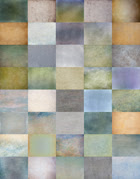
I'm really enjoying the versatility of our new Fly Edge textures. I've used them as straight texture without the edges but here I decided that the grungy look would enhance this image.

To start with, I roughly cloned some colour into the upper pale section of the photo
The processing was really simple. I used the same texture 3 times.
Fly Edge #21 @ Overlay 65%
Fly Edge #21 @ Hard light 51%
Fly Edge #21 @ multiply 56% (this was to darken the top of the image so I used a graduated mask to remove a little of the texture from the already dark lower section of the photo)
After a final curves adjustment to tweak the tone, it was done.

Don't forget our earlier packs...click on the sidebar links, the combo offer for packs One and Two is still running too :-)

Thursday, February 11, 2010

snow hedge


Another grungy snow scene from the plateau at the top of our local southern French mountains.
Shot towards the sun in raw mode with the polarizer lens.

Lost Void - Opacity - Overlay @ 100%
Lost Void (flipped vertically) - Opacity - Overlay@ 100%
Colosseum Sienna - Opacity - Soft Light @ 100%
Lime plaster - Opacity - Multiply @ 17%
Muscatel - Opacity - Soft Light @ 91%
Base image (copy) - Opacity - Multiply @ 14%

Finally, I flattened and tweaked with the color sliders to bring out the cool tones.
To do this I make a copy of the finished image and change the copy like this:
Go to the top header in Photoshop - Image - Adjustments - Hue/Saturation,
3 sliders will show.
Move the top slider until you like the colours. Press OK.
I then merge the two copies with as much or as little change as I feel is right.
Merge or Flatten and save.

Combo Pack Offer
Only $65 for Both texture Packs!

Add to Cart

Saturday, January 16, 2010

the winter group


The other day on our freezing beach.
Shot with my 75-300mm zoom lens, this scene was captured from a great distance of a neighboring beach.
Because its from a distance the people look much closer together than they were!
Not shown on my base image are a line of fishing rods and a fisherman sat in front, already cloned out!
I also removed the mid picture-line of distant hills with the patch tool.
If you notice the filters used you'll see they are all Soft light, ideal for building up grunge.
A final colour tweak removed some yellow tones and added a cooler blue tone.

Apple Blush ~ Opacity ~ Soft Light @ 42%
Caramel Soft ~ Opacity ~ Soft Light @ 100%
Raw Linen ~ Opacity ~ Soft Light @ 54%
Leaky Garret ~ Opacity ~ Soft Light @ 82%
Lime Plaster (flipped upside down) ~ Opacity ~ Soft Light @ 100%
Lost Void ~ Opacity ~ Soft Light @ 100%

Combo Pack Offer
Only $65 for Both texture Packs!

Add to Cart