FINE TEXTURES AND PHOTOGRAPHIC OVERLAYS TO ENHANCE YOUR PHOTOGRAPHY AND MORE


Sunday, February 7, 2010

smooth skater


In the north of France, Martine and I visited an ice-skating rink.
As there were some kind of championships taking place we took our camera's and spent a very cold hour or two, shooting hundreds of ambient lit photographs.

I'd never been to such a show before and was thus amazed to see these kids getting teddies and dolls thrown onto the ice afterwords instead of the flowers adults get! We both had surreal visions of these kids houses filled to bursting point with all these soft toys!

Processing was easy, firstly I used the 'reduce noise' filter a few times, as there was quite a bit of color noise. I also cloned away some blurring around the boy. As he was traveling at great speed I was following him with the lens. This is the cause of the background blur, which I liked.

The textures I used brightened the image, playing with the color sliders I came up with this recipe by trail and error, mostly to counter-act the dull pink lighting.
Our square format textures pull easily into the landscape format as above.

Colosseum Sienna ~
(desaturated to pale blue) ~ Opacity ~ Soft Light @ 81%
Muscatel (desaturated to a dark green) ~ Opacity ~ Soft Light @ 59%

To finish, the dark Green Muscatel was brushed from the boys shirt, head and hands to bring out the pink/mauve tones.

Combo Pack Offer
Only $65 for Both texture Packs!

Add to Cart

Friday, February 5, 2010

the green one!


Fennel is considered a weed in many places but I don't mind it in my garden. I love it for it's wonderful towering flower stalks and seedheads, it's lovely soft ferny foliage, it's aniseed fragrance and flavour.
At one time I'd have avoided the power-pole or cloned it out, but I like the juxtaposition of shapes and forms here.

Processing was fairly simple
Algae @ multiply 100% I used the patch tool to get rid of some of the grunge spots from the texture that I felt were distracting. This texture layer provided most of the green colour and some of the vignetting.
Tarte Tatin@ Soft Light 54%
Selective colour adjustment layer where I tweaked the neutrals a bit.

The photo at this stage looked okay but I wanted to add some drama so I merged visible Ctrl-Alt-Shift-E and added a render lighting effects filter layer, and tried several different "lights" before I settled on what you see here.
Combo Pack Offer
Only $65 for Both texture Packs!

Add to Cart

Wednesday, February 3, 2010

Whisper


I never know what to write about my flower photos here, landscapes are much easier to write about :-)
So today you'll just get the processing recipe.
I decided on the soft treatment on these roses, I did have more textures to start with, archival canvas and apple blush etc but I decided I liked it better soft and pastel.

I started with a levels adjustment to brighten the image a little.
Then I added
Peach Blush @ Overlay 25%
Rainbow trout @ Soft Light 59 %
0c0237 colour layer @ Exclusion 100%
fcf8dd colour layer @ Overlay 40%
f8daa6 colour layer @ overlay 37 %

Combo Pack Offer
Only $65 for Both texture Packs!

Add to Cart

Monday, February 1, 2010

edge of the pines


After waiting for snow for much of the winter, I finally gave in and drove up into our local mountains in search of the precious white powder!
After a great day and many worth while captures, this was the final shot, with a polarizer filter in raw mode. Taken during the last half hour of sunlight. This final edit is just 50% of the full frame landscape.
Only very light processing was needed to enrich and warm.

Muscatel ~ Opacity ~ Vivid light @ 9%
Final curves were used to enhance.

Combo Pack Offer
Only $65 for Both texture Packs!

Add to Cart

Sunday, January 31, 2010

Memories...


I've been offline for the last few days while my computer was upgraded. The upgrade (basically a new computer) was done by my son and it didn't go as smoothly as expected -the two hours he quoted me turned into almost two days. The house has never looked tidier!!
Now that I'm up and running again I've been spending a lot of time reloading my programmes and discovering that some things don't work any more, the main one being Outlook Express which I've used as my email programme forever. It's great having a much faster computer though, processing Raw files which used to take what seemed like forever to save in Camera Raw are now done in moments and now I can open photoshop and Bridge at the same time without the whole system coming to a standstill.
Anyway I processed this quickly last evening when I was looking for something relatively easy to work on. Forget-me-nots from this past spring. It started off as a fairly subtle treatment but then I decided to pile on the grunge :-)


Backdrop @ Soft Light 100%
Peach Blush @ Overlay 62 %
Archival canvas @ multiply 100%
Grosgrain @ Normal 22%
Archival canvas @ hard light 24 % with a little of the texture removed from the focus flowers.
Copy of background @ Soft light 74%
Pompeii Stucco @ Hard light 100% with it's colour cooled a little with a hue saturation layer.
Pompeii Stucco @ multiply 47%
Holmes @ Overlay 81 % with its colour desaturated slightly

Combo Pack Offer
Only $65 for Both texture Packs!

Add to Cart

Saturday, January 30, 2010

white barn II


Goodness, how time flies on the net!
Last week we received an email asking for fuller recipes of our early images from way back, at the time of last summer's launch. It came as a surprise to me as I couldn't remember our early blogs being so minimal! Thus, to rectify at least one post, here is a full recipe!
The first copy of the shot was treated to give a Painterly effect..

It's amazing how the alchemy of a water texture can bring things to life.
This water texture is from my flickr free water textures, here:
http://farm3.static.flickr.com/2650/3694983482_926bd7f95d_o.jpg
This first texture is blurred and brushed from the barn.

Water ~ Opacity ~ Multiply @ 32%
Water ~ (Sky only) ~ Opacity ~ Lighter Color 65%
Elysium ~ Opacity ~ Overlay @ 26%
Leaky Garret ~ Opacity ~ Overlay @ 53%
Necropolis ~ Opacity ~ Overlay @ 37%
Necropolis ~ Opacity ~ Color @ 71%
Necropolis (Field only) ~ Opacity ~ Overlay @ 100%
Leaky Garret (sky only) ~ Opacity ~ Soft light @ 31%
See a finished version on Flickr

Combo Pack Offer
Only $65 for Both texture Packs!

Add to Cart

Friday, January 29, 2010

Flypaper TEX BOX 1


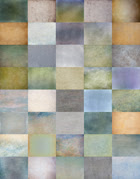
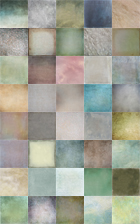
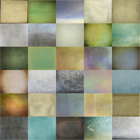
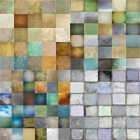
A pack of 25 large, high resolution, unique textures for only$35 USD for download or $45 USD for CD (post included). These textures are professional quality and suitable for commercial as well as personal use.
All our textures can be used in  any editing programme that supports the use of  layers,  Photoshop, Photoshop Elements,  Gimp etc 

For downloads please click on the Add to Cart icon. A download link will be sent to you after you've made your payment.
Buy Tex Box One
Add to Cart

(please note: the file is around 200mb and depending on your connection speed, the download can take anything from 5 minutes to a couple of  hours.


Flypapers Combo Offer 
Buy Tex Box One and Two 
For only $65
Add to Cart

Those on very slow connections may prefer to purchase the pack on CD, please get in touch for details.

Here is a list of the 25 textures included;
White shagreen, Dangerous Liaisons, Caramel Soft,
Aqua Sparkles, Apple blush, Uranium paper
Tarte Tatin, Shagreen Bone, Raw Linen
Pompeii stucco, Phosphorescence, Orient Express
Nostradamus, Nora Batty, Necropolis
Leaky Garret, lamp white, Herculaneum Pumice
Grosgrain, Grande Tour, Elysium
Dove Grey, Bruised Saffron, Apple Crumble
Antique Liaisons.

License agreement

Wednesday, January 27, 2010

Baking


It's strange how you can work on an image for hours and not get it looking quite right so you give up and do something else (or in my case go to bed) and then the next day open it and add some different textures and within moments you have something that works. Thankfully this is what happened here as I had a busy day ahead of me preparing for a son's birthday.
The cake is made, I just have to ice it now....just wish I'd read the recipe a bit more closely so it will be interesting to see what it tastes like :-)

Anyway, here's the recipe for this flower which unlike a cake recipe you don't have to follow to the letter :-)
Peach Blush @ Hard Light 64 %
Colosseum Sienna @ multiply 57 &
Apple Blush @ Colour Burn 38 %


Combo Pack Offer
Only $65 for Both texture Packs!

Add to Cart

Tuesday, January 26, 2010

jetty shadows


After a bit of an Epiphany the other day about my last blog posting,
I decided to work on a cleaned up idealized version.
Purists might blanch, (and probably shouldn't be here anyway!) but I've merged two images together and removed the cluttering couple!
The council bin has also gone by simply cloning out, and thankfully the little guy was being held back by the tiny dog and thus was in a few shots, so I was able to use him and the original background with the 'Michelin Tyre' looking lady which I liked!

I referred to the recipe from before (thanks self!) but then thought,
Why Not? Can I add just one more without the whole thing sinking like an over-rich chocolate soufflé ? - Judge for yourselves!
Its Caramel soft, which I'd first desaturated, as the colors were already rich enough.
Here is the full revised recipe:

Orient Express ~ Opacity ~ Soft Light @ 53%
Colosseum Sienna (desaturated) ~ Opacity ~ Overlay @ 43%
Raw Linen ~ Opacity ~ Soft Light @ 100%
Caramel soft (desaturated) ~ Opacity ~ Soft Light @ 43%
Base image (color ramped up in curves) ~ Opacity ~ Soft Light @ 31%